TL;DR
- Recommendations are checks Visibly AI runs on your website and your prompt results.
- Work top-down: they're sorted by impact (High, Medium, Low), and each is an Issue or an Opportunity.
- Click View to see why it matters, what we found and how to fix it.
- Fixed items close by themselves on the next scan. Dismiss any that don't apply to you.
AI assistants can only recommend you if they can find, read and quote your website. Visibly AI checks your site against what they need and lists what to fix, most important first.
Open Recommendations in the sidebar. Your top recommendations also appear at the bottom of the Dashboard.
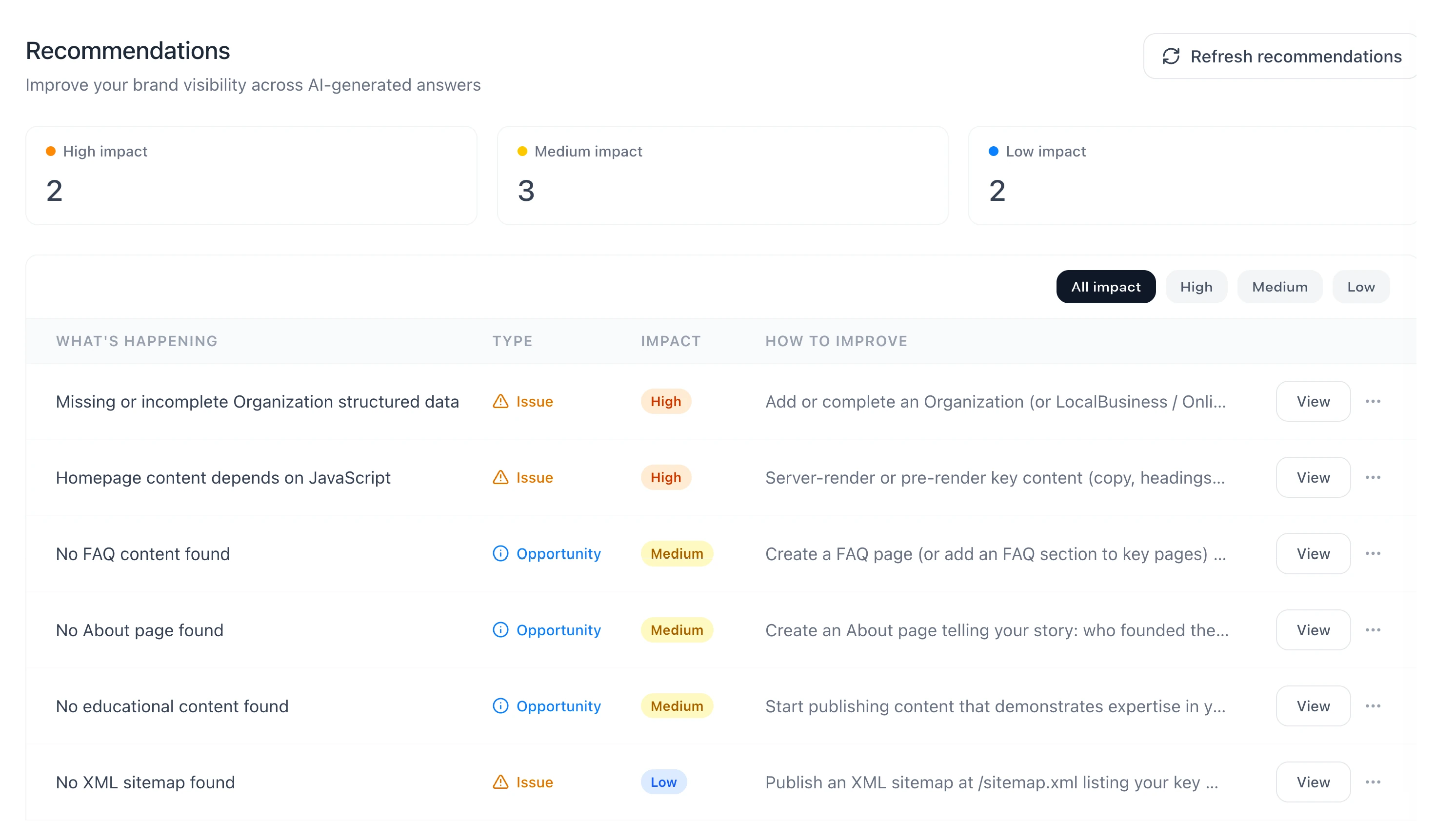
Read the list
- Impact: High, Medium or Low. The list is sorted highest first, and the filters at the top show one level at a time.
- Type: an Issue is something broken or missing. An Opportunity is something worth improving.
- How to improve: a one-line summary of the fix.
Checks cover five areas: whether AI crawlers can reach your pages (robots.txt, sitemap, llms.txt, pages that need JavaScript), your structured data, your content (About page, FAQs, guides, coverage of your tracked prompts), your internal links, and whether AI answers cite your site.
Fix one
Click View to open a recommendation.
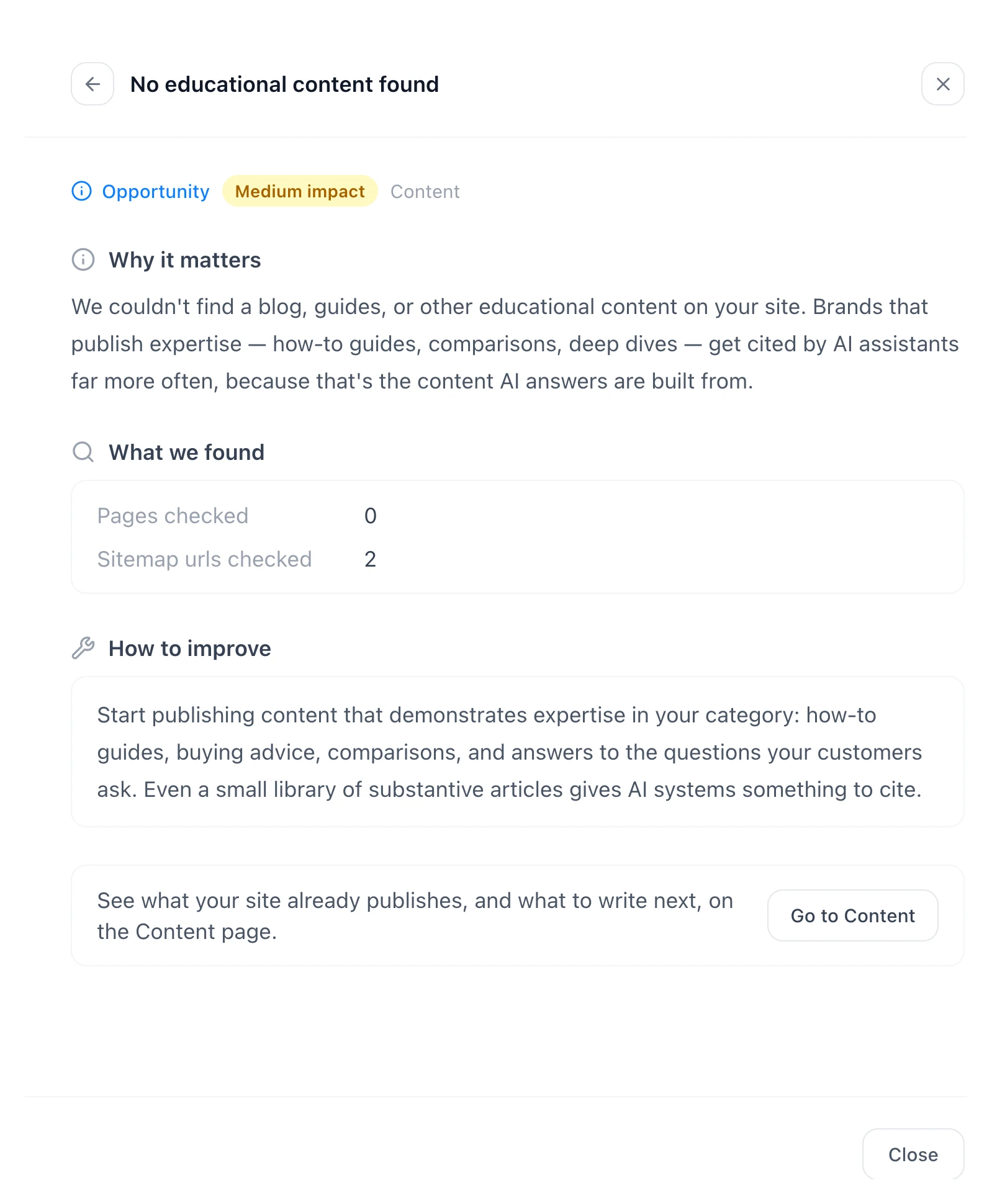
- Why it matters explains the effect on AI answers.
- What we found shows the evidence: the pages, files or numbers behind it.
- How to improve gives the fix.
Some recommendations include a shortcut. Content gaps link to the Content page, where Visibly AI can write the article for you (see Generate and publish a blog article). The llms.txt check can create the file for you, and product SEO issues link to the products, where Fix with AI writes the fix. Everything else is a change you or your developer make on your site.
After you fix it
Visibly AI scans your site again regularly, and fixed recommendations close by themselves. To check straight away, click Refresh recommendations. If an issue comes back later, it reopens.
Doesn't apply to you, like local-business markup for an online-only store? Open the ⋯ menu on its row and click Dismiss.
Site checks, below the list, shows what's already working, plus anything you've resolved or dismissed.