TL;DR
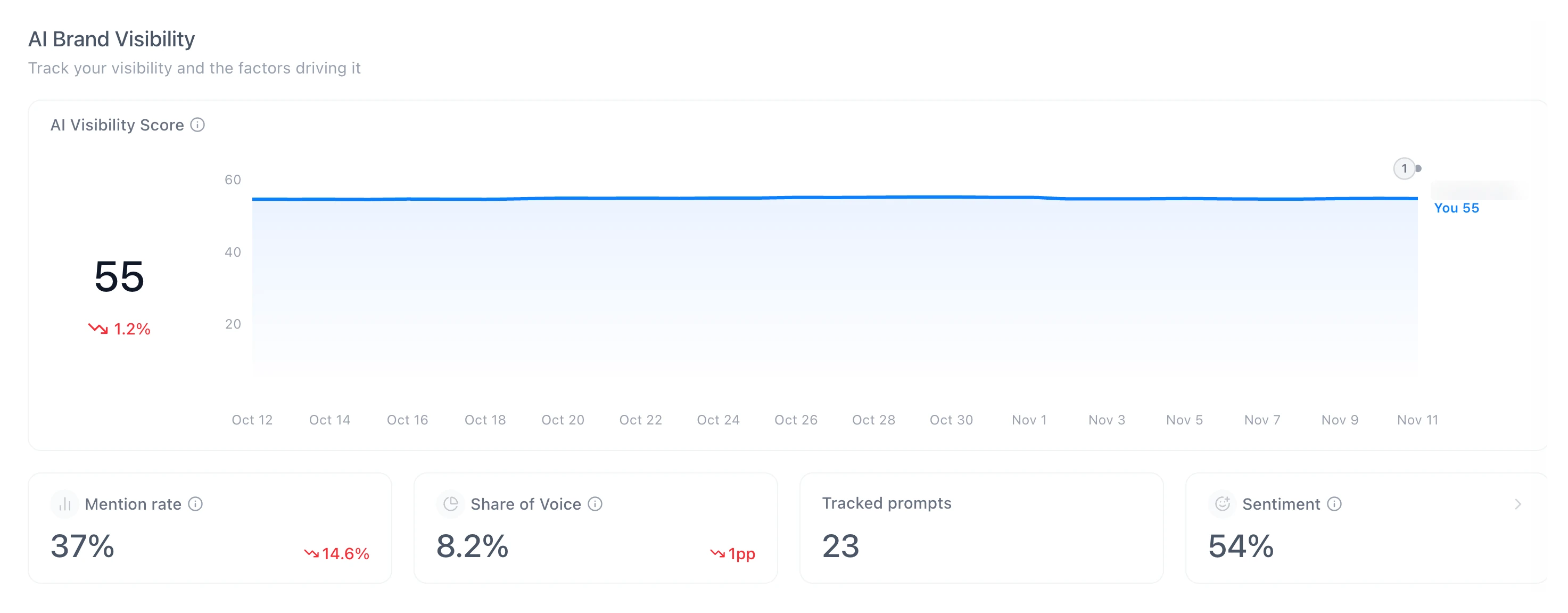
- A 0–100 score of your brand's overall standing with AI assistants like ChatGPT and Gemini.
- It blends your website's authority, how widely and recently your brand is discussed online, and how well and how positively AI knows you.
- It moves slowly by design. Mention rate and share of voice show how often you appear in answers to your prompts.
- To raise it, earn mentions on sites AI trusts, publish clear content about what you sell, and work through your Recommendations.
Your AI Visibility Score shows how strong your brand's standing is with AI assistants like ChatGPT and Gemini, from 0 to 100. It's the headline number on your Dashboard.
What it measures
The score blends four signals:
- Authority: how established your website and brand are across the web. This is the biggest factor.
- Reach and recency: how widely, and how recently, your brand is discussed online.
- Familiarity: how well AI assistants actually know your brand when asked about it.
- Sentiment: how positively they describe you.
There's no pass mark. Compare your score with itself over time, and with the competitors you track, which appear on the same chart.
The numbers next to it
The tiles under the chart measure something different: how often you show up in answers to the questions you track.
- Mention rate: the share of AI answers to your prompts that mention your brand.
- Share of voice: your share of all brand mentions in those answers.
- Tracked prompts: how many questions you're tracking. See Generate prompts with AI and track them.
- Sentiment: how positively AI talks about your brand. Click the tile for details.
Adding or removing prompts changes these tiles, not your AI Visibility Score.
See how AI describes you
The Sentiment page shows your sentiment score and your AI familiarity, which is how well AI knows your brand. Both update automatically every few days.
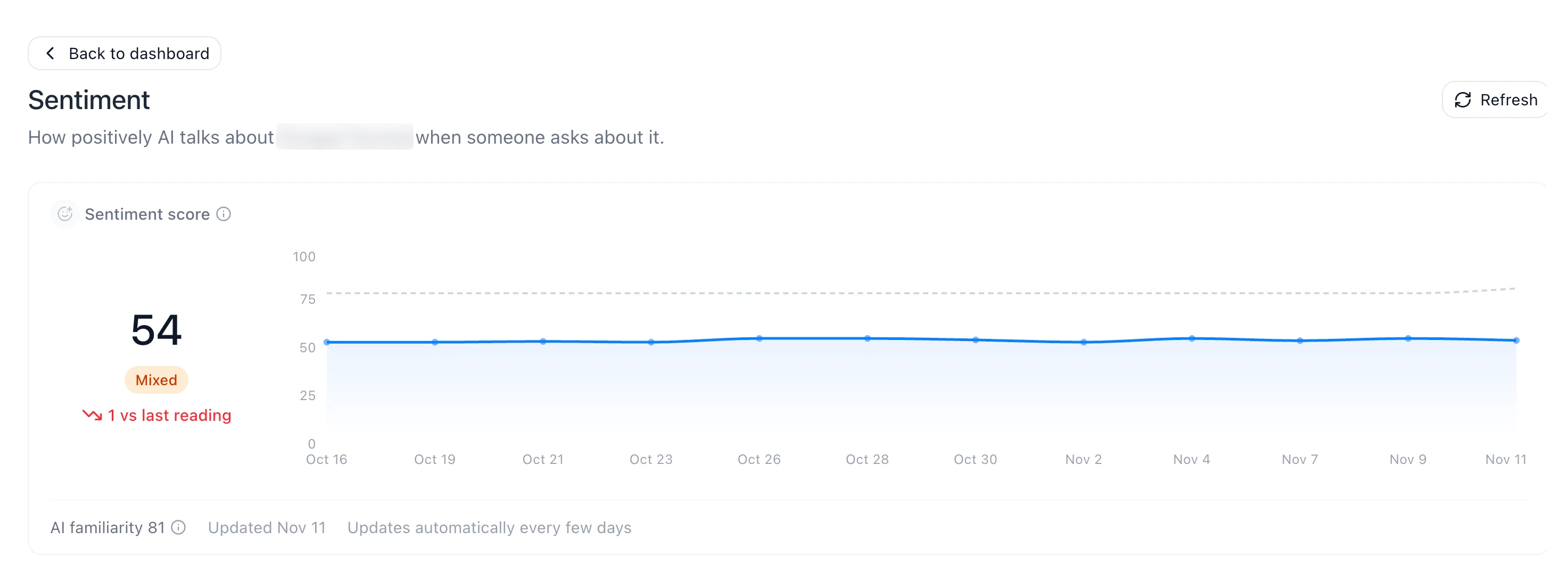
Below it, What we asked AI shows the four questions behind the score (esteem, what you're known for, whether AI would recommend you, and your standing), with how AI answered each one. What this means for your brand sums up your strengths, risks and what to do next.
A low sentiment score can also mean AI doesn't know enough about your brand yet. For a brand-new brand, familiarity and sentiment can take a little while to appear, and the score uses the other signals until then.
What moves it
- Get mentioned where AI looks: press, reviews, directories, partner sites and links from sites AI assistants trust. This is the biggest lever, and the slowest.
- Publish clear content about who you are and what you sell. See Generate and publish a blog article.
- Fix your recommendations, so AI can read and quote your site. See Act on your recommendations.
Expect movement over weeks, not days.
Why it changes
Small ups and downs are normal. Each update takes a fresh reading of how the web and AI assistants talk about you, and Visibly AI blends recent readings so one odd result doesn't swing your score for long.
A sudden large drop usually means the wrong website is on file. Your score is calculated for your primary website, so check it's the domain your customers visit, in Brand → AI tracking → Websites. For Shopify stores, it comes from your store.